For construction and renovation tradespeople operating under Lithuania’s individual activity scheme
A quote, a signature, and an invoice — all on your phone.
You draft the estimate on site, the client signs via the link, and you issue the invoice right there.
€20/month, first 14 days free. Or €216 per year — save 10%.
What Paperwork handles, and what's left to you or your accountant
Paperwork helps you prepare documents and summaries, but it doesn't replace full bookkeeping or tax filing.
Paperwork handles
- Estimates, contracts, reports and invoices generated from one template
- Non-repeating, automatic numbering of outgoing documents in your account
- Signing with a finger via a link, with no client registration
- VAT calculated on issued invoices according to your regime
- The system suggests the recognized amount and vendor — you check it
- A list of unpaid invoices, with the option to send a reminder
Left to you or your accountant
- Confirming a receipt's category and business-use percentage
- Filing VMI tax returns (GPM308, FR0600, etc.)
- Full double-entry bookkeeping, general ledger, balance sheet
- Reconciling bank statements with client payments
- Preparing annual financial statements
How it works
Three steps — from the job site to an issued invoice.
-
1
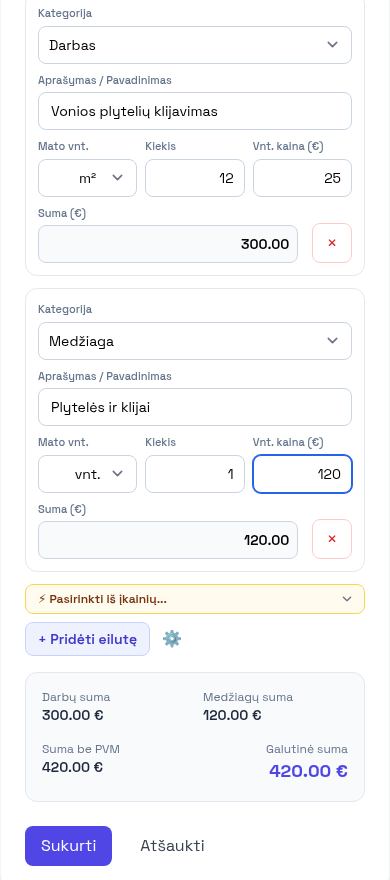
Build the estimate on site
On your phone, while still standing at the job. Pull prices from your own list, retype nothing.
-
2
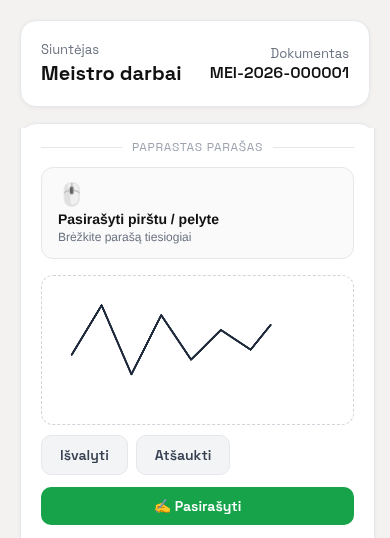
The client signs from a link
They get a link and sign with a finger — nothing to install and no account needed. You see exactly when they signed.
-
3
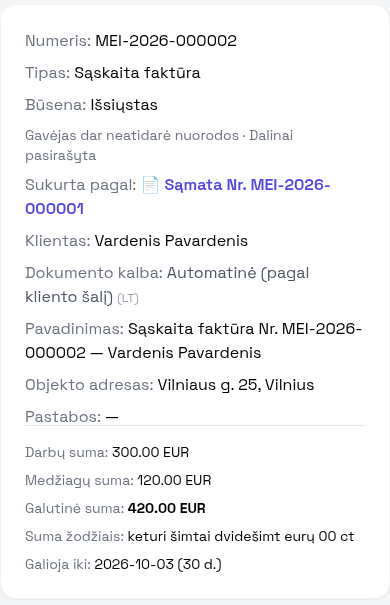
You issue the invoice
The outgoing document number is assigned automatically within your account, never repeating. When the client pays, mark the invoice paid with one click — giving you a clear view of who still owes.
What if I stop paying?
Existing records remain viewable, and an account administrator can export company data as JSON. Creating and modifying documents, clients, and receipts is restricted.